

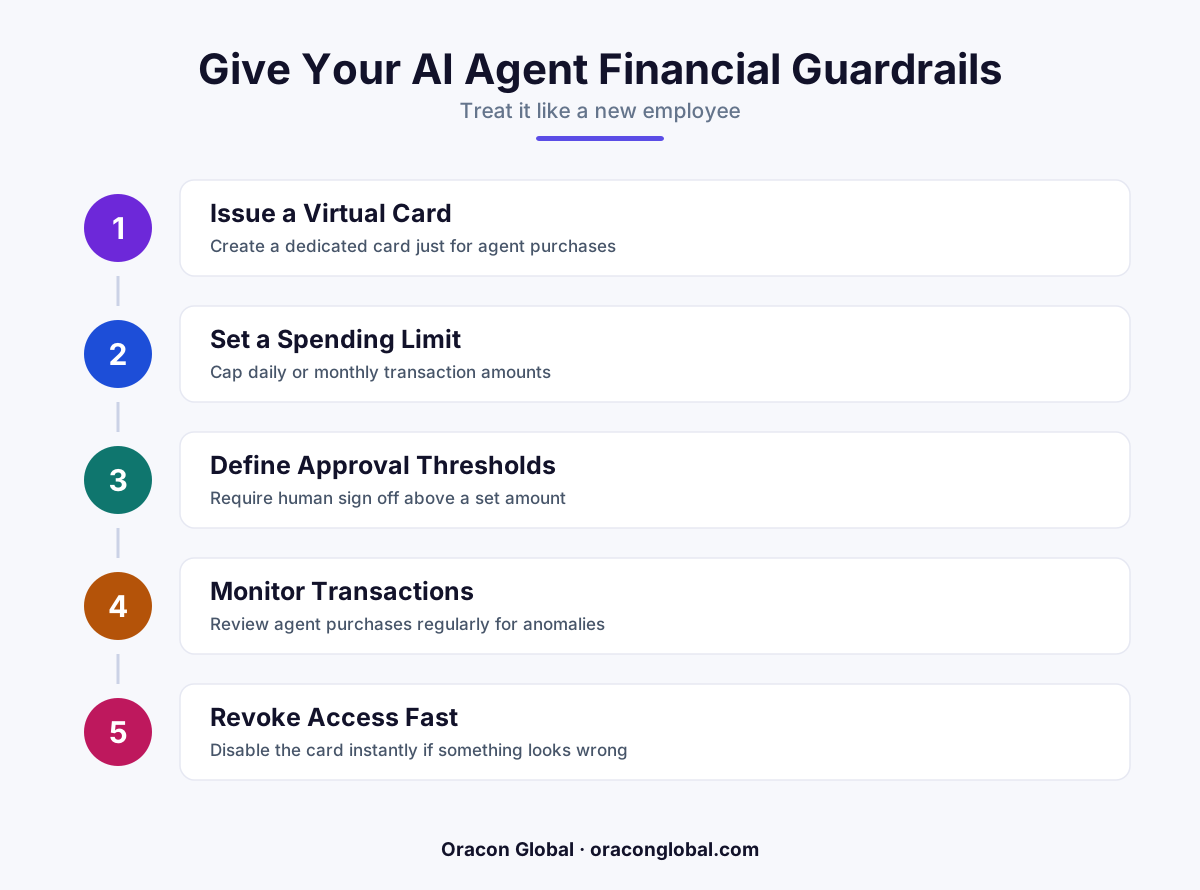
AI agents are moving from answering questions to actually spending money — buying ad credits, paying vendors, booking services. Without a dedicated spending limit and payment method, one bad decision or bug can turn into a real financial loss. Treat your agent like a new hire: give it a card, a limit, and an approval trail.
Most businesses still think of AI agents as digital assistants that answer questions or draft emails. But a growing number of agents now do something riskier: they spend money. They buy ad credits, renew software subscriptions, pay freelancers, book shipments, or top up API usage — all without a human clicking "approve."
That shift changes the conversation. The question is no longer just "what can this agent do?" It's "how much money can this agent lose before someone notices?" And for most companies, the honest answer right now is: more than they'd like.
Agents Are Graduating From Advice to Action
Early AI agents mostly recommended things. A human read the recommendation and decided whether to act on it. That extra step was, without anyone planning it, a built-in safety check.
Newer agents skip that step on purpose — that's the entire point of automation. An agent that monitors ad performance doesn't just flag an underperforming campaign; it reallocates budget. An agent that manages vendor relationships doesn't just suggest a reorder; it places one. An agent that handles IT procurement doesn't just recommend a tool; it subscribes to it.
Every one of those actions involves money leaving your account. And every one of those actions is now happening at machine speed, which means a mistake doesn't surface in a weekly report — it surfaces in a bank statement.
Why a Shared Company Card Isn't Enough
Most businesses hand their AI agent the same payment credentials used everywhere else — the general company card, a shared API key tied to a billing account, or admin access to a vendor portal. That's convenient to set up and risky to live with.
A shared credential means an agent's mistake isn't contained. If an agent misreads a pricing tier, gets stuck in a retry loop, or acts on a bad instruction, the resulting charges land on the same account that pays your rent, payroll, or marketing spend. There's no wall between "agent money" and "business money."
This is the exact problem businesses solved decades ago with employee expense cards. You don't give a new hire your master business account login on day one. You give them a card with a limit, a category, and a paper trail. AI agents deserve the same treatment — arguably more, since they can act thousands of times faster than a person ever could.
What an AI Agent's Financial Guardrails Should Look Like
Think of this less as a technical feature and more as basic financial hygiene for any business running autonomous agents. A few things matter most:
- A dedicated virtual card or payment method — isolated from the main company account, used only for agent-initiated transactions.
- A hard spending limit — a ceiling the card simply won't go past, enforced outside the AI model so it can't be reasoned around or missed by a prompt.
- Category restrictions — the card only works for the vendors or transaction types the agent is actually supposed to pay for.
- An approval threshold — transactions under a certain amount go through automatically; anything above it pauses for human sign-off.
- A clean transaction log — every charge tied to the specific agent, task, and decision that triggered it, so a review takes minutes instead of a forensic investigation.
None of this slows the agent down for its normal job. It just makes sure the agent's authority to spend has the same shape as a trusted employee's — generous enough to be useful, bounded enough to be safe.
This Is a Governance Problem, Not Just a Payments Problem
It's tempting to treat this as something your finance team or payment processor will eventually sort out. But the real work happens at the system design level, well before any card gets issued.
Someone has to decide, concretely: what is this agent actually allowed to buy? Under what dollar amount? From which vendors? What happens when it hits the ceiling — does it pause, escalate, or simply decline and log the attempt? These aren't abstract policy questions; they're design decisions that get built directly into how the agent's tools and permissions are wired.
Get this right, and an overspending agent becomes a non-event — a declined transaction and a notification, nothing more. Get it wrong, and you find out about the problem from your bank, after the money is already gone.
Start With the Agents That Already Touch Money
You don't need to solve this for every future use case today. Start with the agents you've already built or are building that touch payments, bookings, or procurement in any way. Ask three questions:
- What payment method or credential does this agent currently use?
- Is there a hard limit on what it can spend, enforced somewhere other than the prompt?
- If it made a mistake right now, how long would it take you to notice?
If any of those answers makes you uneasy, that's the gap to close first — before you give the agent more autonomy, not after.
The Bottom Line
AI agents are quickly moving from assistants that inform decisions to systems that execute them, including financial ones. That's a genuinely useful capability — but it only stays useful if it's bounded. A spending limit and a dedicated card aren't a sign of distrust in your AI agent. They're the same basic financial controls you'd put around any new employee handling company money, applied to software that happens to move faster than a person ever could.
At Oracon Global, we build AI agents and AI digital employees with these guardrails designed in from the start — proper permission boundaries, approval thresholds, and spending controls, not bolted on after something goes wrong. If you're giving an agent access to real transactions, it's worth a conversation about how to do it safely. You can see how we approach this by trying the live AI demos and talking to Aria on oraconglobal.com, or reach out to our team directly.
Frequently asked questions
Can AI agents actually make purchases on their own right now?
Yes. Agents built with payment tool access can already book travel, buy ad inventory, pay for API usage, or purchase supplies through connected APIs. The technology isn't the bottleneck — the financial guardrails usually are.
Isn't a company credit card enough to control this?
Not really. A shared card gives an agent the same blast radius as every other charge on that account. A dedicated virtual card with its own limit isolates agent spending so one error can't touch payroll, rent, or other business-critical charges.
What happens if an AI agent tries to overspend?
With a proper setup, the transaction is simply declined at the card or API level. The spending limit acts as a hard stop that doesn't depend on the agent "deciding" to behave — it's enforced outside the model entirely.
Do I need this if my AI agent only handles customer support or chat?
Not immediately. Spending controls matter once an agent gains the ability to execute payments, bookings, or financial transactions — not for agents that only read data or answer questions.
Read next
Beyond Chatbots: How to Build AI Agents That Actually Do Work for Your Business
Most businesses use AI to answer questions. Here is how to build custom AI agents that actually take action, connect to your internal tools, and handle complex workflows.
Beyond the Wrapper: How to Build Custom AI Agents for Business That Actually Work
Many businesses invest in basic AI wrappers only to find they lack the security and context needed for real work. Here is how to build custom AI agents that integrate deeply with your workflows and databases.
Enterprise AI Maintenance Costs: Budgeting for Year Two and Beyond
Building an AI system is only half the battle. Discover the practical, ongoing operational costs of enterprise AI, including token management, model drift, and continuous security audits.
Oracon Global builds production-grade AI agents, automation and apps — and you own the code and IP. Tell us what you want to automate.
Book a call →See our work